
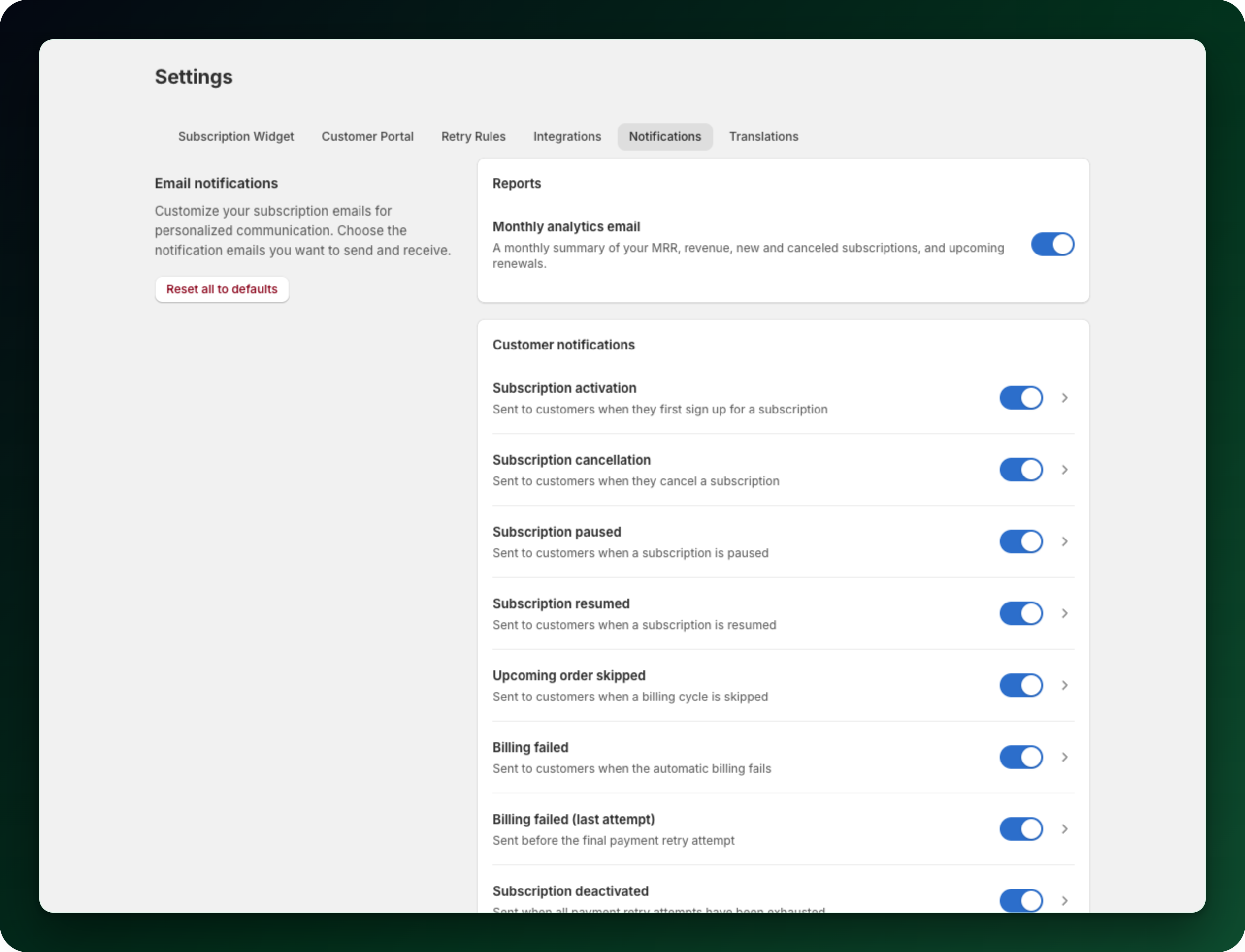
Progus Subscriptions sends its own emails around the subscription lifecycle, separate from Shopify's order emails. You find them all under Settings → Notifications, split into Customer notifications and Merchant notifications. Every row has a switch, and a disabled email is never sent.
What your customers get
Subscription activation: sent when a subscription is created from a checkout. Subscriptions you import or create yourself do not trigger it.
Subscription cancellation: sent whenever a subscription is cancelled, whether by the customer, by you, or by the app after failed payments.
Subscription paused and Subscription resumed: sent when a subscription is paused or resumed, from the customer account, from the admin, or from a bulk action.
Upcoming order skipped: sent when a billing cycle is skipped.
Billing failed: sent after a failed billing attempt while retries are still left.
Billing failed (last attempt): sent before the final retry, and it names the final charge date and what happens if that one fails too.
Subscription deactivated: sent once all retries are used up and the subscription has been cancelled, paused or skipped per your retry rules.
Payment receipt: after a renewal is charged, naming what was taken.
Upcoming order reminder: before a renewal is charged, once you set how many days ahead.
Delivery frequency changed, Order date changed, Product added, Product removed and Product swapped: confirmations, when the customer changes their own subscription.
Card expiring: before the card behind a subscription expires, so a renewal does not fail for a reason the customer could have fixed.
Cooling-off notice: to UK subscribers when a charge opens a 14 day cooling-off window.
What you get
Subscription canceled (merchant): every cancellation.
Payment failed (merchant): a subscription where all payment retries are exhausted.
Both go to your store email as soon as the event happens, with no digest option. A third row, Inventory failure (merchant), is listed as well, and inventory failure emails to staff follow the frequency you choose below, not immediately. How often to notify your staff under Settings → Retry Rules has no effect on the two merchant emails above.
The top of the Notifications tab also carries a Reports card with the Monthly analytics email, a summary of your MRR, revenue, new and canceled subscriptions and upcoming renewals.
Subscriptions billed through Mollie
Nearly all of them cover Mollie-billed subscriptions too: cancellation, paused, resumed, the payment receipt, the billing failure and deactivation emails, the upcoming order reminder, the cooling-off notice, the four self-service confirmations and the merchant emails. Two do not fire there. There is no activation email, because a Mollie subscription is not created by a Shopify checkout, and no skip confirmation.
Where the emails come from
All of them are sent by Progus Subscriptions from [email protected]. The customer emails carry your store email as the reply-to address, so a customer who hits reply reaches you.
The Upcoming order reminder sits under Customer notifications and goes out before a renewal is charged, once you set how many days in advance it should be sent; until then it stays off. Renewal reminder emails: set up and timing covers the setup.
What to do next
Edit the subject and intro of any email, or send yourself a test.
Check your retry rules, since they decide when the billing failure emails go out.
Emails switch to the customer's language automatically: translations ship by default, and you can edit them per language.
Stuck on any of this? Open the chat in the bottom right corner of the app and we will help you set it up.