
Pausing keeps the subscription, its products and its discount in place, and only stops the charges and the orders. It is the answer to "I am away for two months", and it is reversible. Canceling is not.
Step 1: Open the subscription and pause it
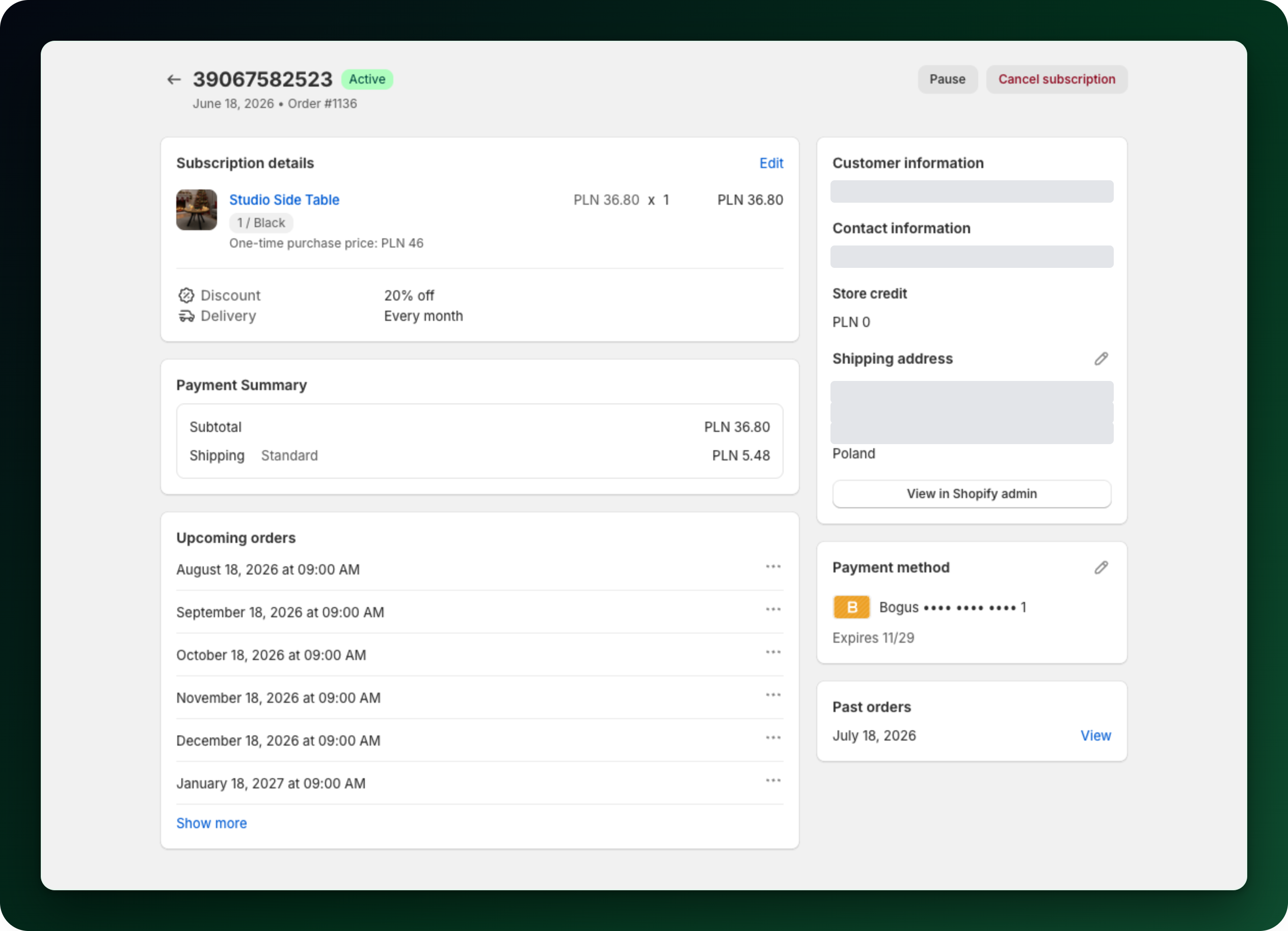
Open the subscription from Subscriptions and click Pause in the actions at the top right of the page. The button is there while the subscription is still running, including when its last charge failed. When it succeeds you get a Subscription paused message and the status badge changes to Paused.
Step 2: Know what changes while it is paused
No further charges and no further orders are created.
The Upcoming orders card still lists the dates, but its per-order actions are hidden until the subscription runs again.
The customer is emailed that their subscription was paused.
Step 3: Resume it
On a paused subscription the same menu offers Resume. It runs straight away, with no dialog, and you get Subscription resumed. Billing and orders pick up again from the schedule, and the customer is emailed that the subscription resumed.
Step 4: Mollie subscriptions
A subscription billed through Mollie is paused from its own page, among the actions at the top of the page: Pause while it is active, Resume while it is paused. One difference matters: if the next billing date has already gone by while it was paused, resuming does not charge straight away. The next charge is moved one full interval into the future instead.
What to do next
Skip only the next order instead of pausing the whole subscription.
Cancel a subscription when the customer is really leaving.
Pause many subscriptions in one go from the Subscriptions list.
Stuck on any of this? Open the chat in the bottom right corner of the app and we will help you set it up.