
A running subscription is not frozen. You can change its products, quantities, prices and frequency without asking the customer to start over, and the change applies from the next order onwards.
Step 1: Open the editor
Open the subscription and click Edit in the top right of the Subscription details card. That opens the Edit subscription page.
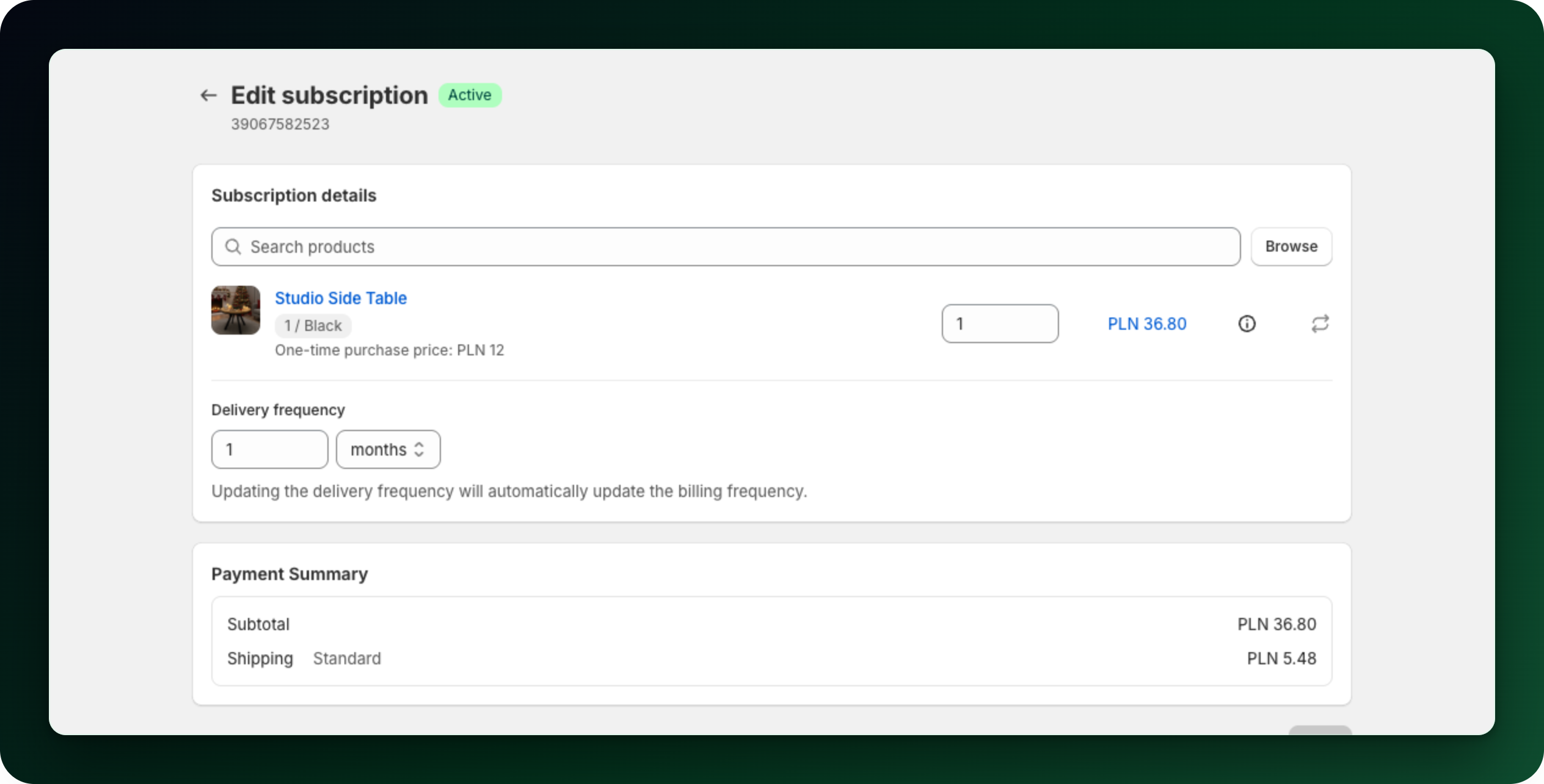
Step 2: Add or remove products
Type in the search field or click Browse to open the product picker and tick the products you want in the subscription. The bin icon on a line removes it. It disappears once only one product is left, because a subscription must keep at least one line.
Step 3: Change quantity, price or the product itself
The number field on each line is the quantity.
Click the price on a line to open Edit price. Enter the Subscription price the customer should pay and click Update. If the normal one-time price of that product has changed since the subscription started, the page tells you so.
The circular arrow icon swaps that line for a different product, keeping the subscription itself intact. Lines managed by a product rotation have no swap icon.
Step 4: Change the delivery frequency
Under Delivery frequency set a number and pick days, weeks, months or years. The page states it plainly: updating the delivery frequency also updates the billing frequency.
Step 5: Save
Click Save. You get Subscription updated. The app keeps you on the Edit subscription page, so use the back arrow next to the title to return to the subscription. If you changed the frequency, the next order date is recalculated.
Active subscriptions billed through Mollie have their own Edit subscription page. Their subscription page also gives you the quantity on a line and the next billing date, both editable there, alongside pause, resume, skip and cancel. You can also add, remove or swap a product from the Edit subscription page.
Club subscriptions are the other exception. The frequency cannot be changed, because a club bills everyone on one shared schedule, and the lines a club protects cannot be touched either. Either one makes the server reject the whole save, so every other edit you made in it is discarded too. Make those changes in a separate save.
What to do next
Change the next billing date if the customer wants the new contents sooner.
Let customers swap products themselves from their account.
Stuck on any of this? Open the chat in the bottom right corner of the app and we will help you set it up.