
Before real customers subscribe, walk one subscription through the whole path yourself: product page, checkout, subscription, renewal. It takes a few minutes and shows exactly what your buyers will see.
On cards there is no test mode: place one subscription order yourself with a real card, then go to Step 4 to force the renewal, and cancel and refund it afterwards. Steps 1 to 3 are for stores that accept iDEAL or Bancontact through Mollie, where you can test without moving money.
Step 1: Turn on Mollie test mode
Go to Settings → Integrations → Mollie → Configure. Tick Test mode, which runs all Mollie payments in test mode so no real money is moved, pick a Mollie profile and click Save. Test profiles are marked with (test) in the list, and a Test mode badge appears next to the connection.
Step 2: Place the order the way a customer would
Open a product with an active plan, choose the subscription option and check out through the theme button Pay with iDEAL. That button only exists if you added the Mollie app block to your theme, see "Accept iDEAL and Bancontact: connect Mollie". On Subscriptions a new row with an M ID appears, first as Waiting for direct debit and then as Active once the direct-debit mandate is validated.
Step 3: Watch for the mode mismatch warning
Test payments and live payments do not mix. If the two sides disagree, the Mollie settings page says so:
A real payment came in, but this connection runs in test mode, so no subscription is being created. Turn off test mode below and save.
A test payment came in, but this connection runs in live mode, so no subscription is being created. Turn on test mode below and save, or switch your checkout to live payments.
The subscription row is still created and sits at Waiting for direct debit: what fails is the activation, not the record. Change Test mode to match your checkout, click Save, and place the order again.
Step 4: Force a renewal on a Shopify contract
For a card subscription you do not have to wait a month. Open the subscription and find the Upcoming orders card, which lists the coming billing dates with an actions menu on each one.
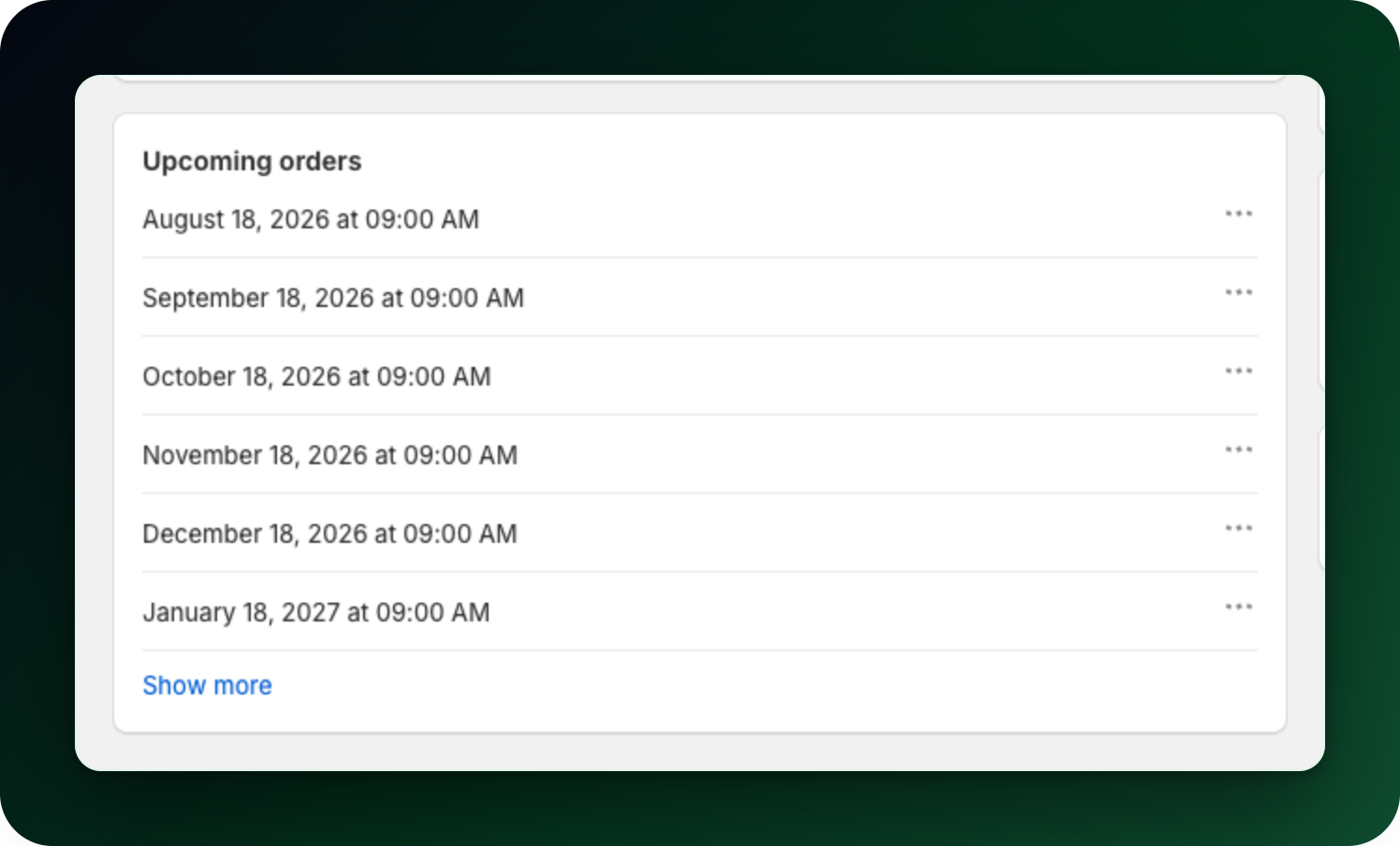
Open the menu on the first date, choose Process payment and confirm with Process now. The customer is charged and the order is created right away. The action sits on the first upcoming order only. Charge now is a different thing: it appears in the page actions after an inventory failure, and it is the one Shopify limits to a billing date within the next 24 hours.
Step 5: Go live
Turn Test mode off and click Save. Cancel the subscriptions you created while testing so nobody gets charged for them later.
What to do next
Set your retry rules before the first real failure, see When a payment fails: retries and dunning.
Check the customer view in Let customers manage their own subscriptions.
Stuck on any of this? Open the chat in the bottom right corner of the app and we will help you set it up.