
Free delivery is often a stronger argument than a few percent off. The app can give it to subscription orders on a plan without touching the price of the products.
Step 1: Tick the box
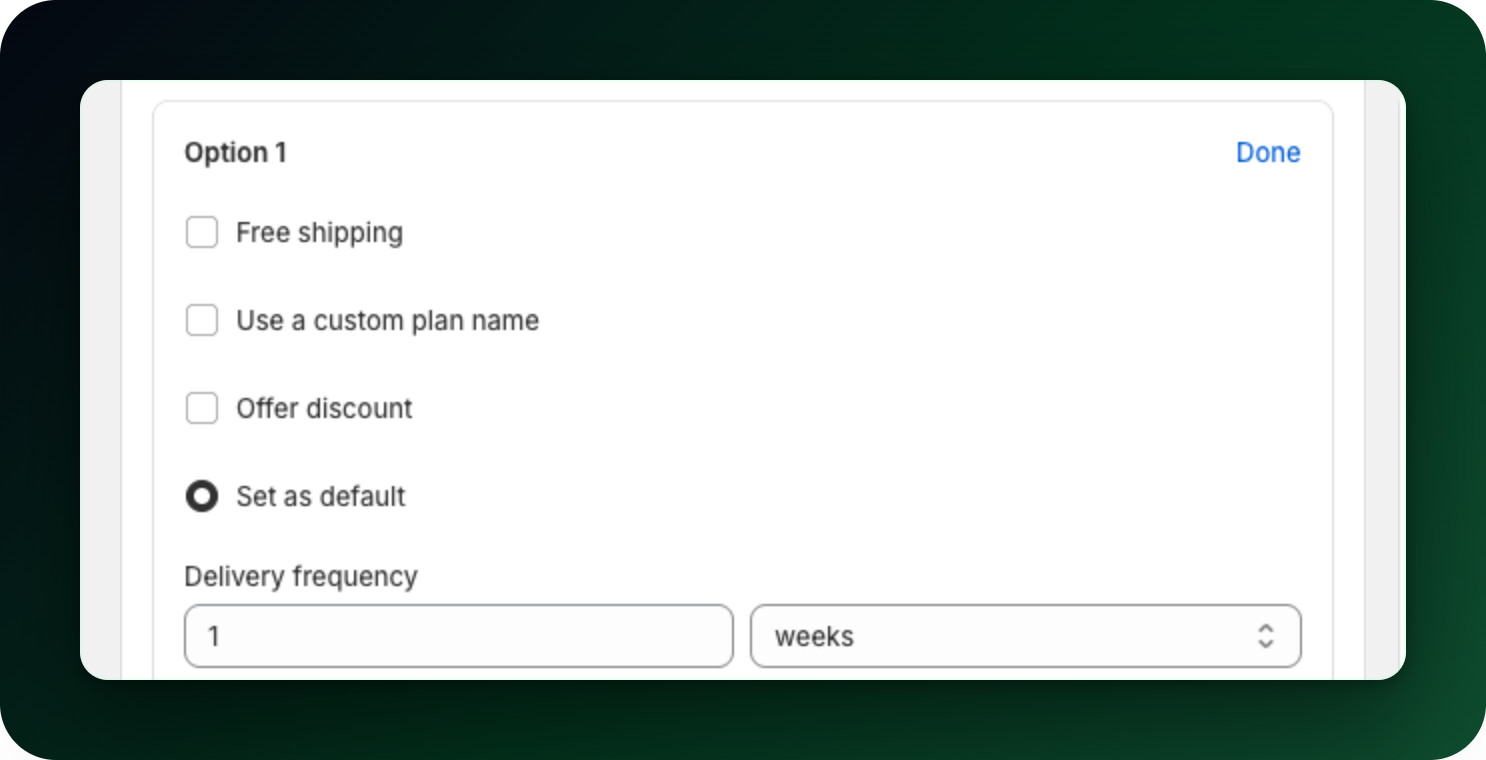
Open the plan, expand a delivery option and open More: free shipping, custom name, prepaid under the frequency and discount. Tick Free shipping there. It is a bare checkbox with no help text. Once it is set, that line names it when closed, so you can see it without opening the option.
Step 2: Save
Click Save. On the first save the app creates a Shopify shipping profile called Progus free shipping, with a rate named Free Shipping priced at zero for all countries, and puts this plan into it.
Step 3: Check the result
The collapsed delivery option shows a Free shipping badge and the widget preview shows a matching chip, so the customer sees it while choosing the option.
It covers the whole plan
The checkbox sits on a delivery option, but the shipping profile is attached to the plan. If any one option in the plan has free shipping ticked, every option in that plan gets it. If you want free shipping on the monthly option only, put that option in its own plan.
To take it away, untick the box on every option in the plan and save. The plan is removed from the free shipping profile, and normal shipping rates apply again.
What to do next
Place a test subscription and check the shipping line at checkout before you announce the offer.
Decide between free shipping and a bigger discount rather than stacking both, and set the discount per delivery option.
Stuck on any of this? Open the chat in the bottom right corner of the app and we will help you set it up.