
An order you expected can be missing for several reasons. Before you dig deeper, open the subscription and read the Upcoming orders card: it shows the date of the next charge and whether it was skipped.
Step 1: Rule out the timing
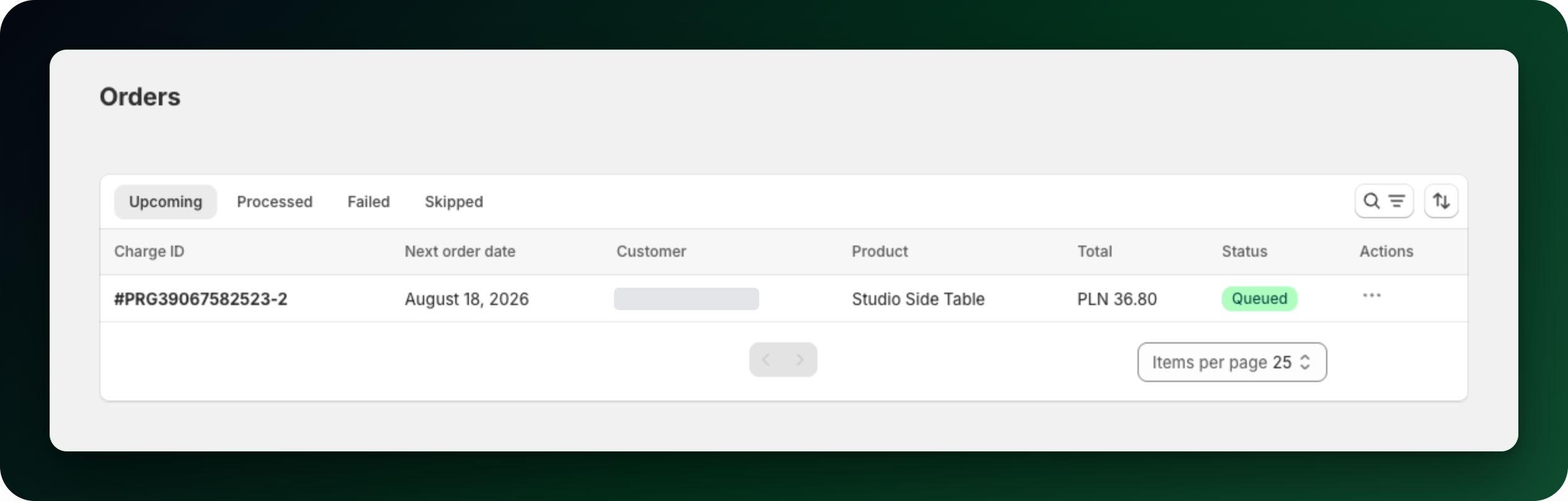
A renewal dated today may not have been charged yet. If you need it now, open Orders and use Process payment on the next order. A cycle that has been overdue for a while will not catch up by itself either, so charge that one manually too.
Step 2: Check the status of the subscription
A subscription only renews while it is Active. Paused, Canceled and Expired subscriptions are never charged, and a single order marked Skipped is passed over while the rest of the schedule continues. Customers can pause, skip and cancel from their account, so a status can change without you doing anything.
Step 3: Check whether the payment failed
A failed charge does not stop the subscription immediately. It starts the retry ladder you configured in Settings → Retry Rules → Payment method failure: a number of retry attempts spaced by a number of days. When the last retry fails, the app performs the action you chose and notifies the customer: skip the order, pause the subscription or cancel it.
The usual cause is the card. Open the subscription and read the payment method card: it tells you when the payment method was removed by the customer, and it shows the card expiry date next to Expires for you to compare with today. In both cases, use Send link to update card and the customer updates it themselves.
Step 4: Check inventory
Out of stock products fail billing. An automatic renewal that fails on stock is listed under Orders → Failed with the reason "That product variant no longer exists." A manual Process payment shows "The order couldn't go through because the products are out of stock." instead. These failures use their own retry settings under Not enough inventory, separate from payment failures, so restocking in time is often all that is needed.
Step 5: Mollie subscriptions
Mollie renewals need a valid SEPA Direct Debit mandate. Open the subscription and read its status: Waiting for direct debit means the mandate from the first payment is not usable yet, and Direct debit failed means it never became usable. Each status carries a reason. When the reason is that the mandate is no longer valid, the customer has to authorize a new direct debit instead of starting a new subscription. Failed charges are retried, but some bank rejections, such as a closed account, are final and the customer has to subscribe again.
A subscription stuck on Waiting for direct debit with no obvious reason is worth one more check. Open Settings → Integrations → Mollie and look for a mode warning: a live payment on a connection in test mode, or the other way round. No subscription is created for that order until the mode matches, so there is nothing to charge.
What to do next
Set the retry ladder and the final action once, in Settings, so failures resolve without you watching them.
Billing failure notifications go automatically to your shop email in Shopify, not an address you set here, so make sure someone reads it.
Stuck on any of this? Open the chat in the bottom right corner of the app and we will help you set it up.