
If a subscription product is out of stock on the billing day, Shopify cannot create the renewal order. That is not a payment problem, so the app treats it separately from a declined card.
Step 1: Set the inventory rules
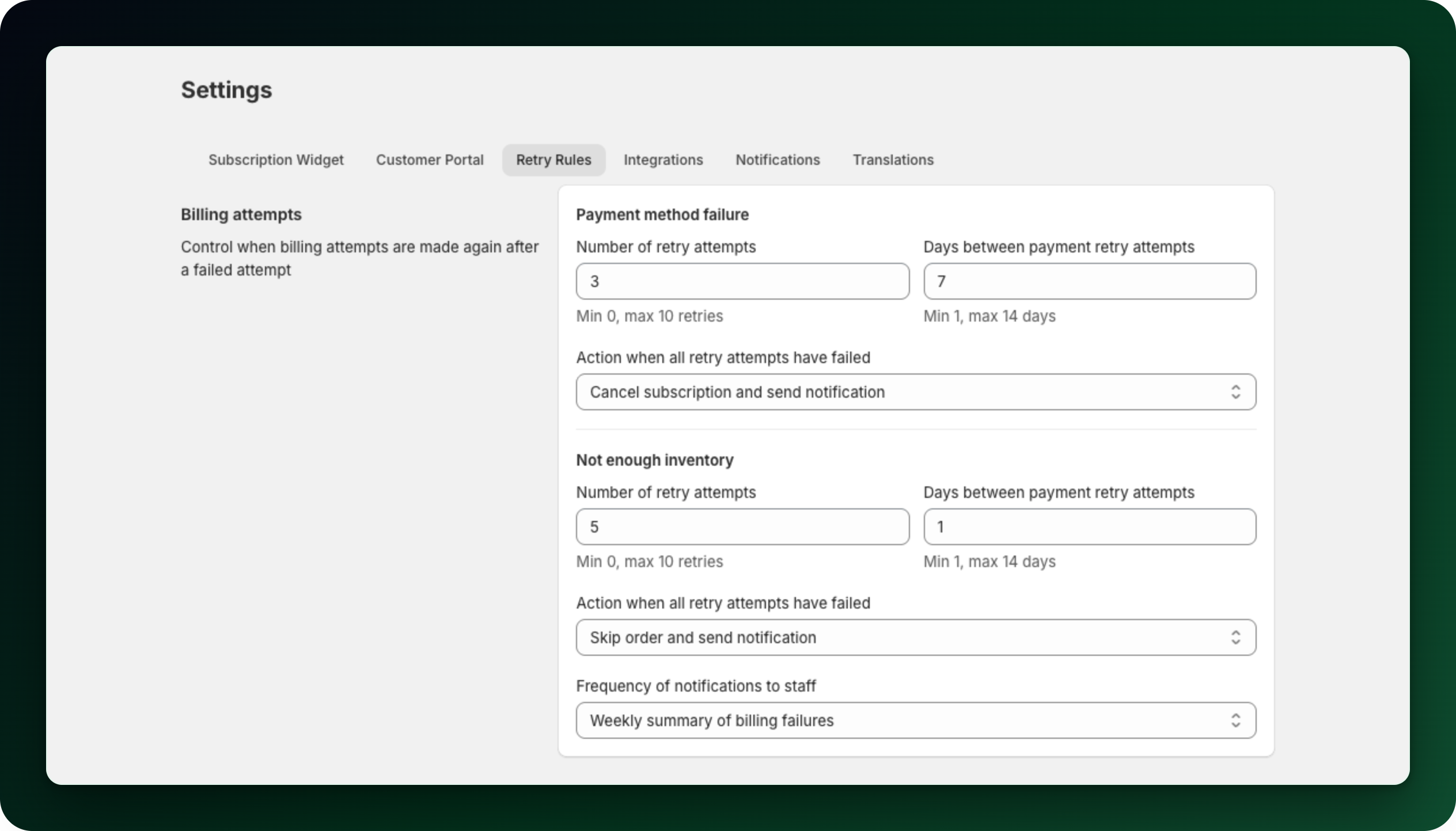
Go to Settings → Retry Rules and use the Not enough inventory section. It has its own Number of retry attempts, Days between payment retry attempts and What to do when every retry has failed, independent of the payment settings above. A fourth control sits under them, How often to notify your staff. It currently drives nothing.
Step 2: Expect no email, to anyone
Nobody is notified when a renewal fails on stock, whatever you picked above. The customer emails about billing cover payment failures only. An out-of-stock renewal is yours to notice, so watch the subscription list after each billing day.
Step 3: Find the affected subscriptions
Open Subscriptions and read the list. A failed subscription carries a warning icon next to its ID, with the tooltip Not enough stock to create the order. Hover the icon to see the variants that ran out. The Inventory errors tab lists them all.
Step 4: Restock, or create the order anyway
Open the subscription. The banner order couldn’t be created tells you how many products were short. Restock and let the next automatic attempt run, or click Create order now and confirm Create order to oversell. Overselling creates the order immediately, so use it when you know the stock is coming.
A similar banner appears when the address is in a shipping zone with no available inventory. There the fix is your inventory or shipping settings, not overselling.
Step 5: Remember the Mollie exception
These settings apply to Shopify-billed subscriptions only. A Mollie subscription is charged first and the renewal order is created afterwards.
That order is created even when stock is insufficient, and inventory can fall below zero.
What to do next
Compare with When a payment fails: retries and dunning.
Keep inventory tracked and non-zero on every product you sell on subscription.
Stuck on any of this? Open the chat in the bottom right corner of the app and we will help you set it up.