
When a customer opens one of their subscriptions in the account, an Upcoming order card shows the next billing date and the actions you have allowed. This is where most self-service happens, so it is worth knowing what the buttons do.
The list of upcoming dates
Show upcoming orders opens the Upcoming orders window with the next billing dates one under another. A skipped date stays visible and is marked "(skipped)". Each row has a Skip button, and a skipped row has Unskip instead, so a customer who changes their mind can put the delivery back.
Skip
The Skip button on the card skips only the next order. It is usually greyed out in two cases: when the maximum number of orders has already been skipped, and when the next order is more than a year away. The card gives an explanation, but its wording is picked from the date of the next order, so read it as a hint.
Reschedule
Reschedule moves the order inside its own cycle, so the customer can only pick from the dates the app offers. The latest date on offer is the cycle's own original date, so normally the customer can only bring a delivery forward.
Order now
Order now places the current cycle immediately. The confirmation window says so plainly: the payment method is charged right away. It is the right button for a customer who has run out early.
What you control
Each of the three buttons has its own switch under Settings → Customer Portal → Upcoming orders actions: Skip upcoming orders, Reschedule upcoming orders and Order now option. Skipping is on by default, the other two are off.
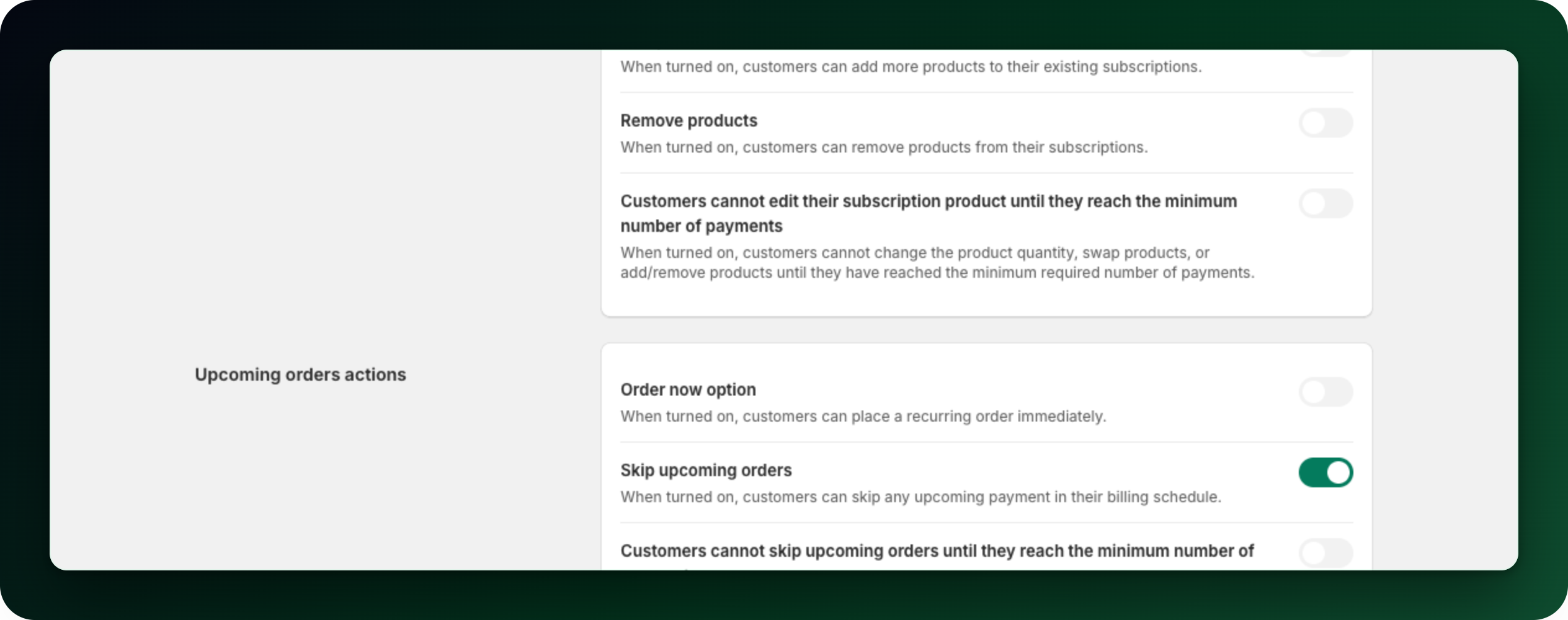
Switching on Customers cannot skip an order until a renewal has been paid in the Limits section hides the skip buttons, both on the card and in the list. They come back once a renewal has actually been paid; what the customer paid at checkout does not count.
The out of stock banner
When a renewal has already failed because products were out of stock, the card shows a notice that the next order may be delayed. Low stock alone never triggers it. The customer can dismiss the notice; the delay is resolved on your side, by restocking.
Subscriptions billed through Mollie
A Mollie subscription shows one date rather than a list: its next charge, on its own card. If you allow skipping it gets a Skip next order button, and if you allow rescheduling the date can be moved from there too. A prepaid Mollie subscription shows the next delivery instead, with how many deliveries are left in the period already paid for.
What to do next
Decide which of the three actions your subscribers should have.
Check the emails: a skipped order sends the customer a confirmation.
Skip or reschedule an order yourself from the admin when a customer asks you to.
Stuck on any of this? Open the chat in the bottom right corner of the app and we will help you set it up.