
Canceling ends a subscription immediately and permanently. There is no undo and no resume, so use it when the customer is really leaving. If they only need a break, pause the subscription or skip one order instead.
Step 1: Open the subscription
Find it on Subscriptions and click the row. Anything that is not already canceled can be canceled, including a paused subscription.
Step 2: Cancel it
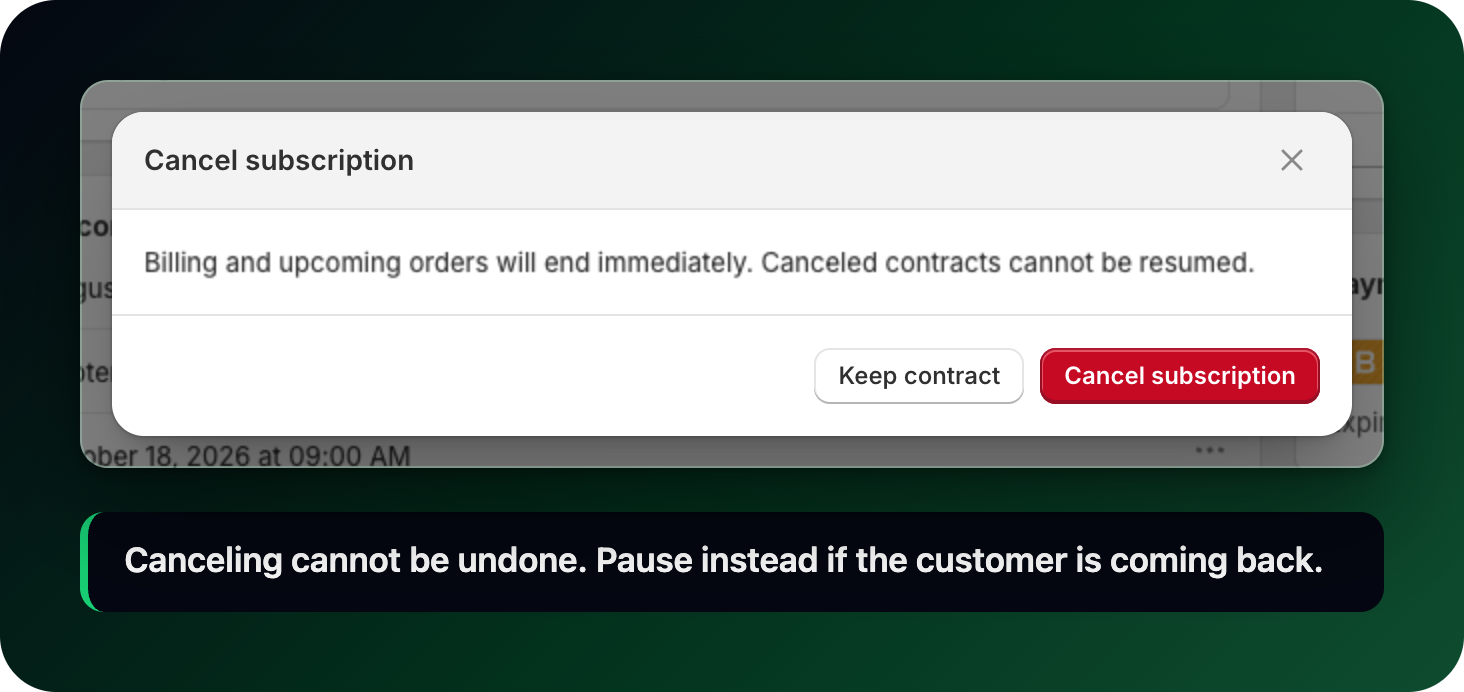
Click Cancel subscription in the actions at the top right. A dialog warns that billing and upcoming orders will end immediately and that canceled contracts cannot be resumed. Confirm with Cancel subscription, or back out with Keep subscription. On success the app shows Subscription canceled.
Step 3: Check what changed
The status badge becomes Canceled.
The Upcoming orders card is gone: there is nothing left to bill.
The row leaves the default list, which hides canceled subscriptions. Open the Canceled tab to see it, with Next order reading Never.
Past orders stay where they are. Canceling never touches orders that were already created.
Step 4: Mollie subscriptions
A Mollie subscription is canceled from its own page. Click Cancel subscription in the Actions card, then click the same button again to confirm. You can reactivate it later if needed. It works on every status that still has something to end: active, paused, or still waiting for its direct debit mandate. On one whose mandate failed the button relabels to Close failed subscription and closes the row instead, which is bookkeeping rather than a cancellation: nothing was ever charged there.
What to do next
Set up a cancellation flow so customers are offered a pause or a discount before they leave.
Cancel several subscriptions at once from the Subscriptions list.
Pause instead, if the customer might come back.
Stuck on any of this? Open the chat in the bottom right corner of the app and we will help you set it up.