
A normal subscription charges once per delivery. A prepaid one separates the two: the customer pays for a whole period upfront and still receives the deliveries one by one. Three months paid today, one box a month for three months.
Step 1: Set the delivery rhythm first
Expand the delivery option and set Delivery frequency to how often the customer receives something, for example 1 month. Prepaid billing is built on top of that number, so get it right first.
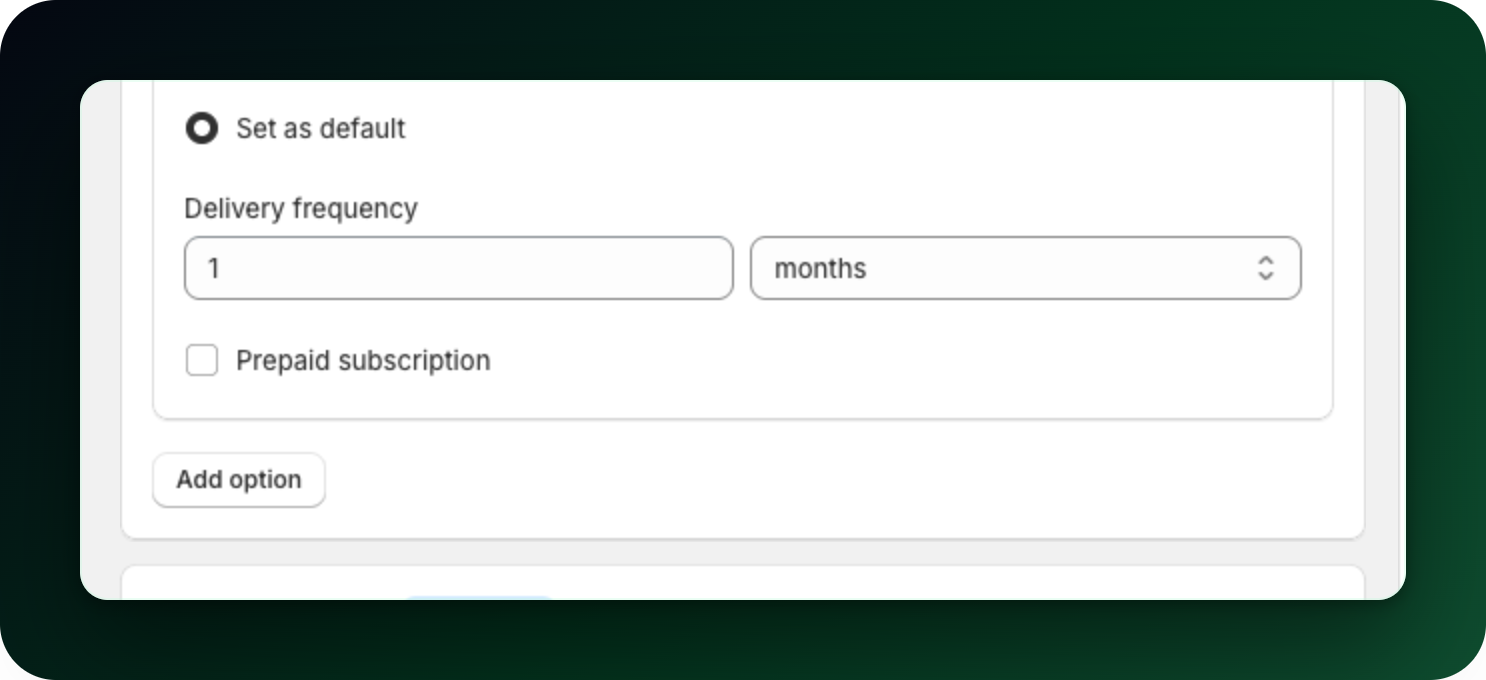
Step 2: Turn on prepaid
Open More: free shipping, custom name, prepaid under the frequency and discount, then tick Prepaid subscription. A note appears saying "Customers pay for the whole period upfront and get their deliveries at the frequency set above", followed by two fields.
Step 3: Set the billing period
Enter a number under Billing frequency and pick the unit under Billing interval. For monthly deliveries paid a quarter at a time, that is 3 and months.
The billing period has to be longer than the delivery period. If it is not, saving stops with "For a prepaid subscription, customers have to pay for a longer period than one delivery". Near-equal periods are refused too: 5-week deliveries with monthly billing.
Step 4: Check how it reads
The collapsed option gets a badge reading "Prepaid, billed every 3 months", and the widget preview shows the same wording as a chip on that option. The plan name starts from the delivery rhythm and the billing period is added after it. The app punctuates the prepaid part with a colon, so at checkout it reads "Deliver every month, Prepaid: Billed every 3 months".
Prepaid and local payment methods
A prepaid option is paid by card, not by iDEAL or Bancontact. Shopify only offers a payment method it can charge again later, and the local methods create a single payment, so a prepaid cart skips the "Pay with iDEAL" button and goes straight to the normal checkout. Nothing is mispriced and nobody is overcharged: the shopper simply pays the whole prepaid amount by card. Your pay-per-delivery options keep the iDEAL button exactly as before.
This means a store that takes only local payment methods, with no card gateway at all, cannot sell a prepaid option. The plan editor says so and keeps the setting switched off there, so you never build a plan nobody can buy.
The iDEAL-friendly alternative: a bigger package
If most of your customers pay with iDEAL or Bancontact, you can offer the same deal without the prepaid setting: sell a bigger package, delivered less often. A 3-month supply delivered every 3 months costs the customer the same as three monthly deliveries paid upfront, but technically it is an ordinary subscription: one payment per delivery. That works with every payment method, needs no special handling, and the customer sees one clear price.
To set it up, create a product variant sized for the longer period (for example "90 capsules" next to "30 capsules"), then give it a delivery option matching that period, with its own discount if paying for more at once should cost less. The one real difference from prepaid: the customer receives everything in one parcel instead of a delivery each month. For supplements, coffee or pet food that is usually fine, and you save on shipping too.
What to do next
Keep a normal pay-per-delivery option in the same plan, so customers who do not want to pay upfront still have a choice.
Give the prepaid option its own discount, since paying upfront is worth a better rate.
Stuck on any of this? Open the chat in the bottom right corner of the app and we will help you set it up.