
The subscriber discount is set on each delivery option of a plan, not on the plan as a whole. That means one plan can give 10% for a weekly delivery and 15% for a monthly one, each with its own discount type.
Step 1: Turn the discount on
Open the plan, expand the delivery option and tick Offer discount. Leaving it unticked is allowed: the option then shows the badge No discount and customers subscribe for the convenience rather than the price.
Step 2: Pick the discount type
Three radio buttons appear under Discount type. Whichever you pick, the value has to be at least 1: below that, saving stops with "Discount value must be positive".
Percentage off: takes a percentage off the product price. The field ends with a % sign, and a value over 100 is refused on save with "Discount value must not be over 100%". This is the type to use when one plan covers several products at different prices, because the same 15% works for all of them.
Amount off: subtracts a fixed sum in your store currency. The field is prefixed with your currency symbol. The same amount comes off every product in the plan, so on a plan that mixes a cheap and an expensive product it is a very different discount.
Fixed price: sets the exact price a subscriber pays instead of a reduction. The help text says it plainly, "This is the price customers pay." Use it when the subscription price is a round number you have already decided on.
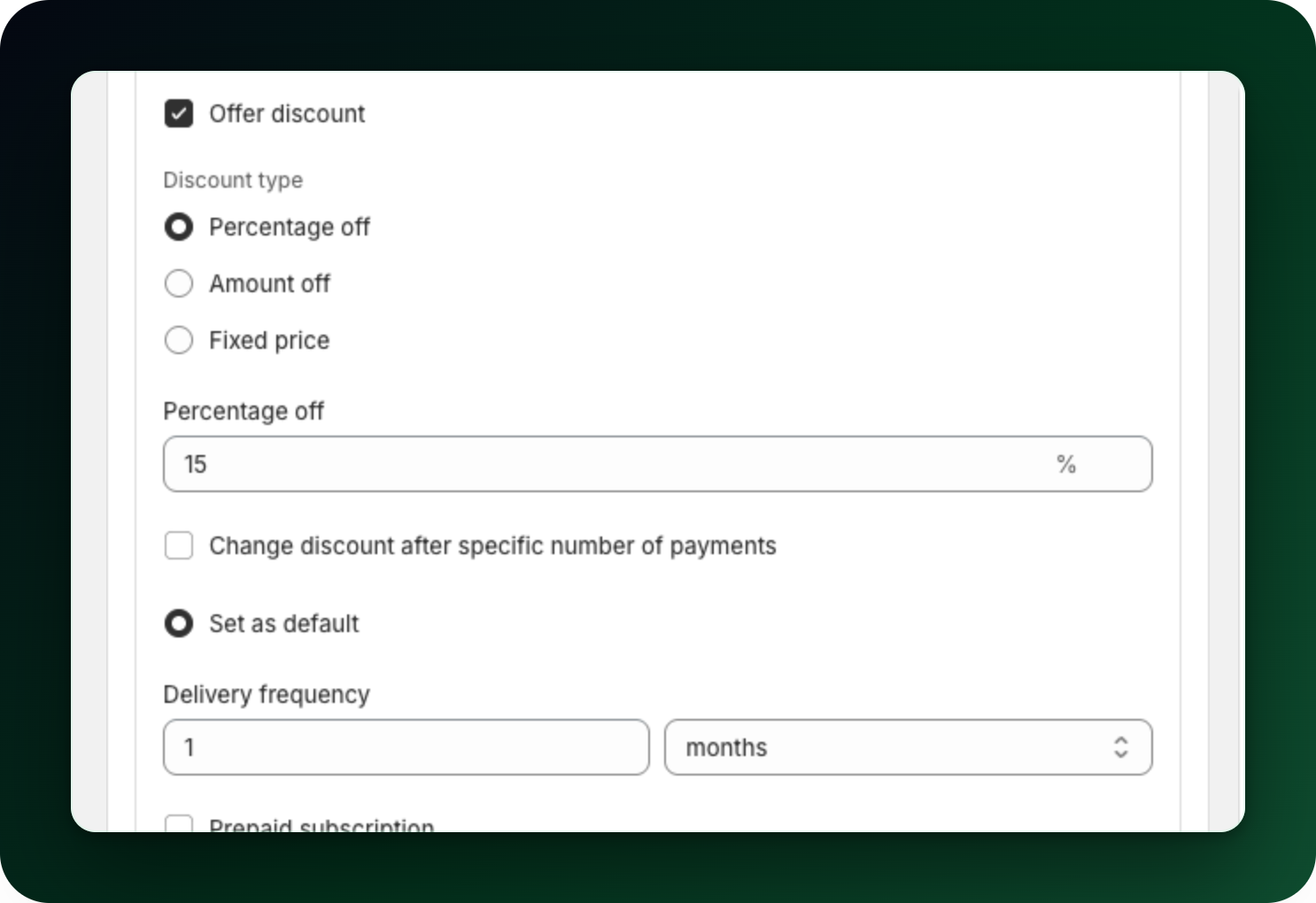
Step 3: Check how it reads
The discount ends up in the assembled plan name, after the delivery rhythm: a monthly option with 15% off becomes "Deliver every month, 15% off", and the other two types put the amount there instead. On the product page the rhythm is the option title and the discount shows as a chip. The full name appears at checkout and on the order. The Widget preview on the right of the plan builder shows the same option the way the storefront will, and the collapsed delivery option shows the discount as a green badge.
What to do next
Give each delivery frequency in the plan its own discount, so the longer commitment is the better deal.
Start high and settle lower with "Change the discount after a set number of payments".
Prefer your own wording to the generated name? Turn on "Use a custom plan name" for that option.
Stuck on any of this? Open the chat in the bottom right corner of the app and we will help you set it up.