
A delivery option can carry two discounts: the one the customer starts on, and the one that takes over after a number of payments. A common use is 20% for the first three deliveries and 10% from then on.
Step 1: Set the starting discount
Expand the delivery option and tick Offer discount, then pick a Discount type and a value. The second discount lives under the same checkbox: it appears as soon as Offer discount is ticked, before you have entered a value.
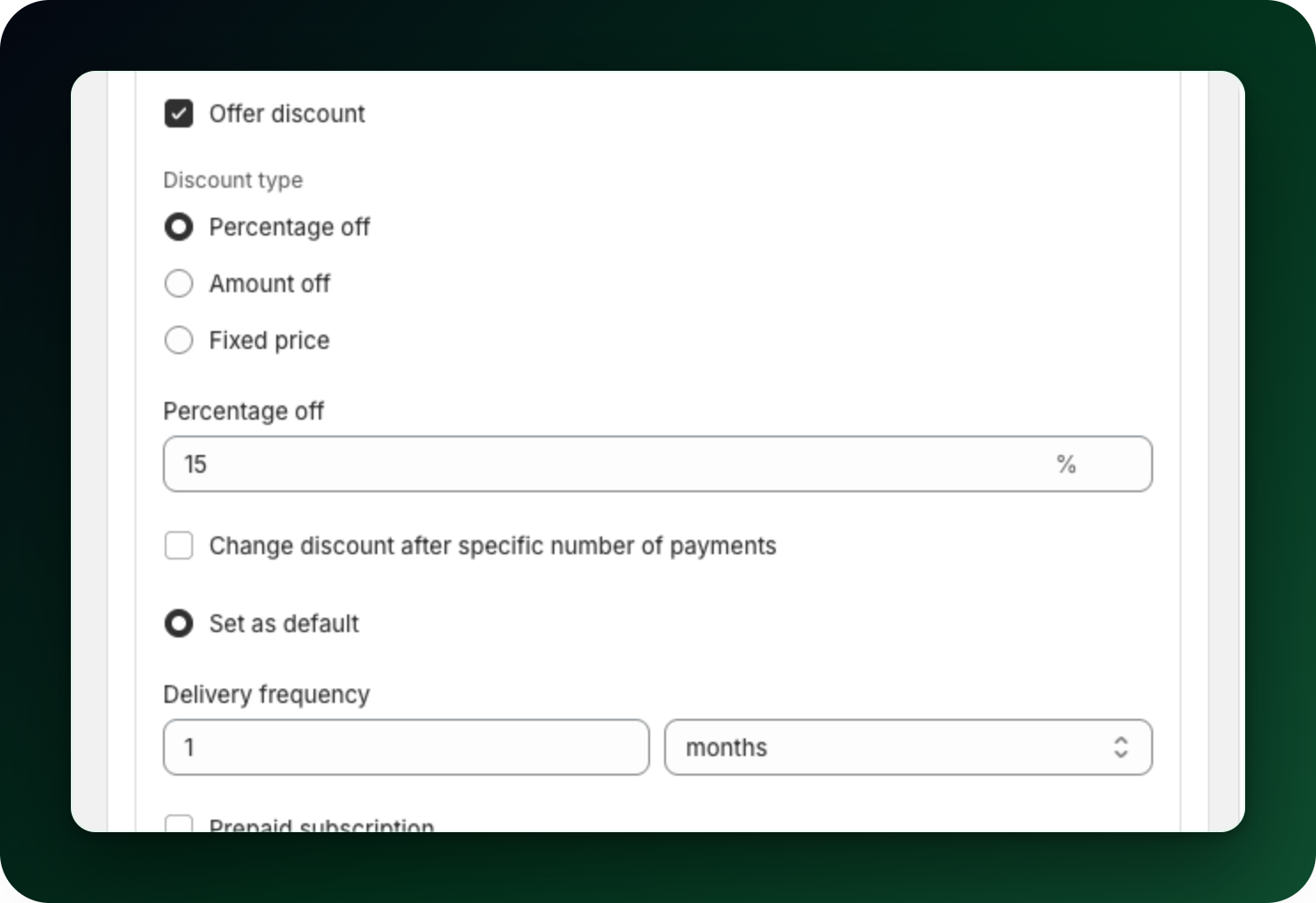
Step 2: Turn on the change
Tick Change the discount after a set number of payments. Three more fields appear.
Step 3: Fill in the second discount
Type of the new discount: percentage off, amount off or fixed price again. It does not have to match the first one.
Change discount after: how many payments the starting discount should last. The field takes 1 to 999 and is required once the box is ticked, so 0 fails with "Must be at least 1".
Change discount to: the value that takes over. 0 is allowed, which ends the discount entirely after those payments. The collapsed badge still shows that half, as "then 0% off after 3 payments".
Step 4: Check the summary
Collapse the option. Its badge now shows both halves. The widget preview reads differently: the starting discount shows as a Save badge, and only the "then" half becomes a chip under the option.
iDEAL and Bancontact subscriptions
These subscriptions step the same way: the second discount takes over once you reach the number of payments you set, counting the first order, the one that goes through checkout, as payment 1.
What to do next
Set the second discount per delivery option, so a weekly and a monthly option can ramp differently.
Check the widget preview before saving.
Stuck on any of this? Open the chat in the bottom right corner of the app and we will help you set it up.