
A subscription is charged automatically, without the customer doing anything. How it is charged depends on how the customer paid the first order.
Step 1: Know how the renewal will be charged
If the first order was paid by card, Shopify charges the renewals. This needs a payment provider that supports subscriptions. Without one the charge cannot run and the app reports Shopify Payments (or another payment provider for subscriptions) is not enabled on this shop.
If the first order was paid with iDEAL | Wero or Bancontact through your Mollie account, Mollie collects every renewal by SEPA Direct Debit. Those subscriptions are marked as Mollie subscriptions in the list.
Step 2: Expect the charge on the billing day
Every subscription carries a next order date. Renewals are charged on that day, at a fixed hour the app uses for your store. There is no setting for that hour.
Step 3: Get the renewal order
On a card subscription the renewal order appears once the charge succeeds. On a Mollie subscription the order is tagged Subscription, Subscription Recurring Order and Mollie Subscription. SEPA takes days to settle, so you choose whether that order appears with the charge or only once it is paid.
Step 4: Follow it in the app
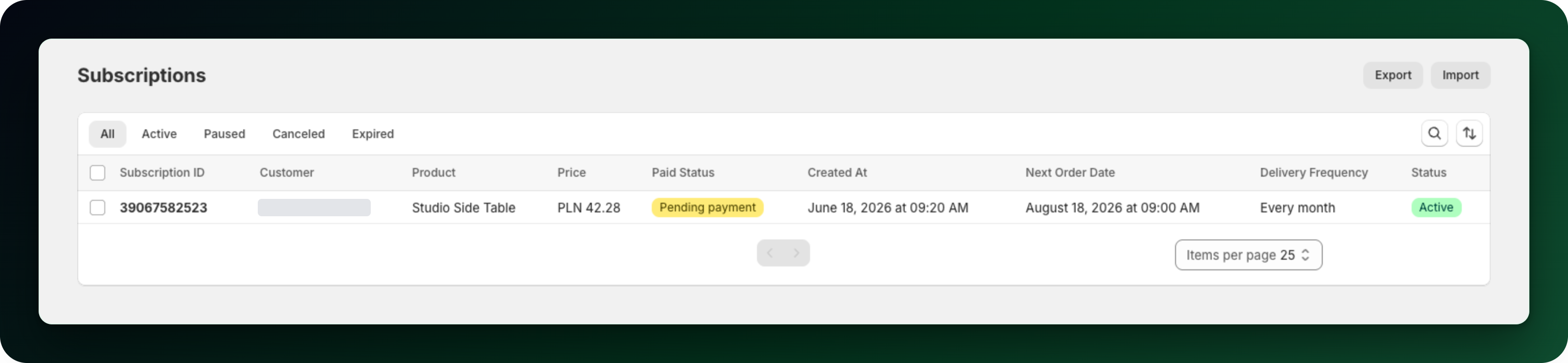
Both kinds of subscription are listed on Subscriptions. A card subscription opens on its Shopify contract page, a Mollie subscription opens on its own page with the list of charges Mollie made.
What to do next
Selling in the Netherlands or Belgium? Read Accept iDEAL and Bancontact: connect Mollie.
Read How Mollie subscriptions renew with SEPA Direct Debit.
Set your retry rules under Settings → Retry Rules before your first renewal fails.
Stuck on any of this? Open the chat in the bottom right corner of the app and we will help you set it up.