
The AI generator looks at the products in your store and proposes subscription plans for the ones customers plausibly reorder. It is a shortcut for the first plans in a new store, not a replacement for the plan builder: you review every suggestion before anything is created.
Step 1: Start the generator
Go to Plans and click Generate with AI. On an empty Plans page the same button sits in the middle of the screen. The Create subscription plans with AI window opens. Click Start generator.
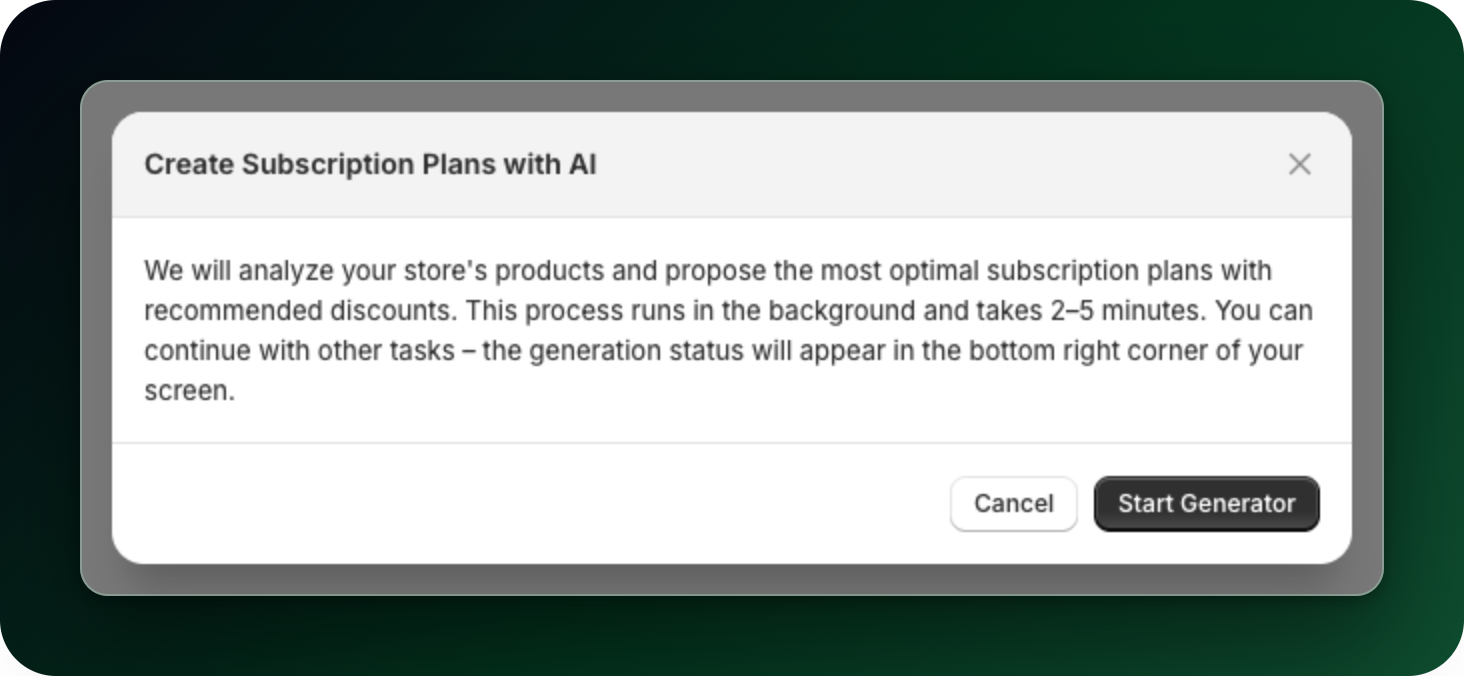
Generation runs in the background and usually takes a few minutes, so you can keep working. When the suggestions are ready, a tracker in the bottom right corner of the screen says "AI plans are ready!" with a Review button.
Step 2: Read what it proposed
The generator looks at your product catalogue. It deliberately skips things people buy once (equipment, furniture, jewellery, gift cards) and proposes up to 4 plans, each with one delivery frequency and one discount. Every plan in the batch gets the same percentage discount, 10% by default. You can change any value afterwards.
If nothing in your catalogue fits, you get "No subscription-ready plans" instead of invented plans.
Step 3: Approve, then create
Every suggestion is a checkbox showing its discount and delivery interval. The products it picked are listed underneath. Hide products folds that list away, and the link then reads Show recommended products with a count. Untick anything you do not want, then click the create button, which counts what is still ticked (Create 3 plans). Discard plans asks you to confirm first, then throws the whole batch away and creates nothing.
Each created plan gets the recommended products and one delivery option with the suggested discount. Everything else (extra frequencies, prepaid, free shipping, plan naming) you add afterwards in the plan builder.
Good to know
Only one generation runs at a time; clicking start again shows the run already in progress.
There is a daily limit. When you hit it the window says "You've used up today's AI generations. The limit resets within 24 hours. Contact us if you need more."
What to do next
Open each new plan and check the products, the frequency and the discount before you make it active.
Add a second delivery frequency to the plans you keep, so customers can choose.
Stuck on any of this? Open the chat in the bottom right corner of the app and we will help you set it up.