
A supplier let you down, or a product is discontinued. Instead of opening subscriptions one by one, select them on the list and act on all of them in one step.
Step 1: Select the subscriptions
On Subscriptions, narrow the list first with the tabs and the search field, then tick the checkbox on each row you want. The bulk actions Pause, Resume and Cancel appear above the table. An action becomes available when at least one subscription in your selection is in a state that accepts it.
Step 2: Confirm
Each action asks for confirmation and says what it will do:
Pause: billing and orders will be paused, and you can resume paused contracts at any time.
Resume: billing and orders will resume, while active and canceled contracts will not change.
Cancel: billing and orders will end immediately, and canceled contracts cannot be resumed. Back out with Keep subscriptions.
Bulk Pause, Resume and Cancel all email the affected customers, the same as they would one by one.
Step 3: Wait for it to finish
The work runs in the background. You first see a message that the subscriptions are being paused, resumed or canceled, and then Bulk operation completed with a refreshed list. On a large selection that confirmation may not appear. The work still finishes: reload the page after a minute to see the new statuses.
Step 4: Know what is skipped
Subscriptions already in the target status are dropped from the batch. Selecting a paused subscription and pressing Pause does nothing to it.
Canceled subscriptions in your selection stay canceled.
Subscriptions billed through Mollie are never included. If your selection is only Mollie rows the buttons stay disabled, and you pause, resume or cancel each of them on its own page.
Step 5: Export a selection instead
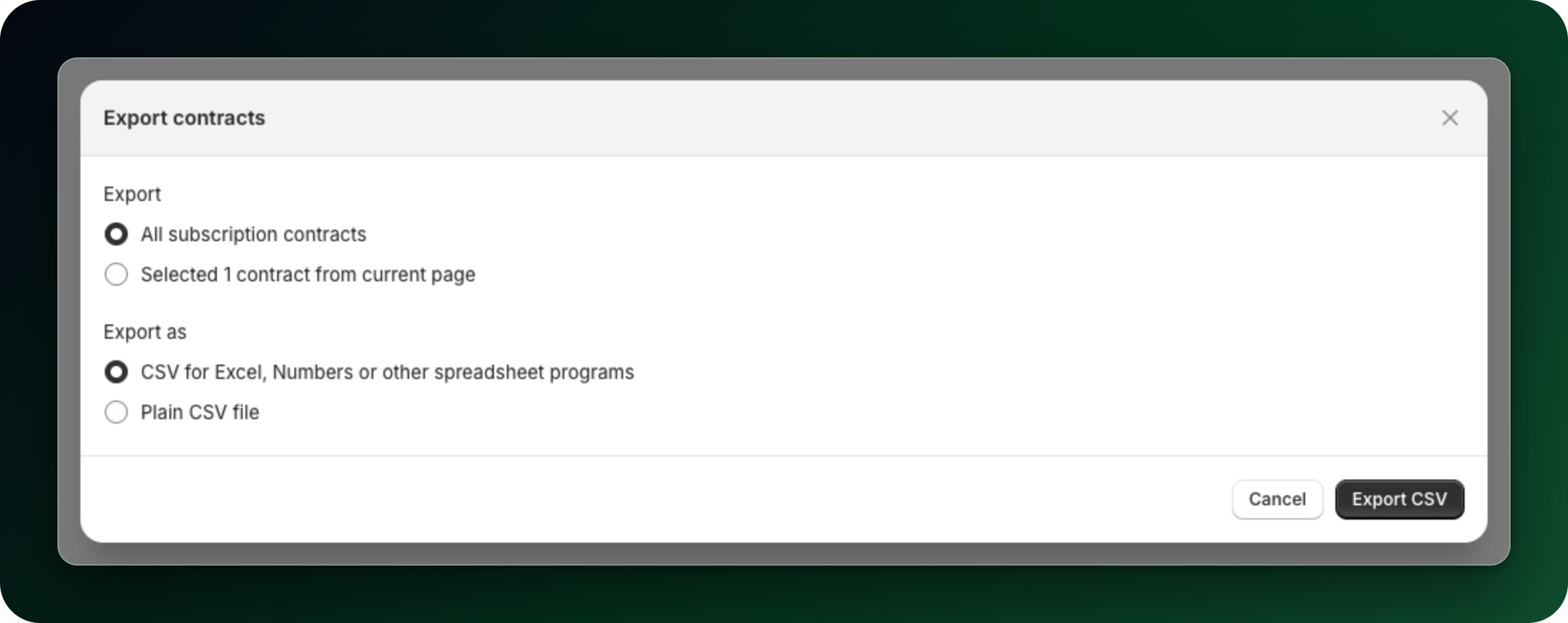
If you want the data rather than a change, click Export at the top of the page. In Export subscriptions choose All subscriptions or the subscriptions you selected on the current page, pick the CSV format and click Export CSV.
What to do next
Read the details of a single subscription before acting on a large batch.
Export subscriptions to CSV when you need the full data set.
Stuck on any of this? Open the chat in the bottom right corner of the app and we will help you set it up.