
It helps to know exactly what a subscriber runs into, because that is what your support inbox will be about. Here is the whole path.
On the product page
Under Purchase options the widget shows two choices: One-time purchase and Subscribe and save, with the delivery frequencies from your plan. On a product you sell on subscription only, the one-time choice is not there. A discounted option carries a savings badge such as Save 15%, a Free shipping chip when the plan includes it, and the note every install is seeded with: "No obligation, modify or cancel your subscription anytime." The badge and the note are edited in Settings → Translations → Widget text. The free shipping chip cannot be changed in the app. The theme block's own text setting is the Purchase options heading.
Right after they order
The customer gets the Subscription activation email, sent when they first sign up for a subscription. If you activated the app's thank-you page block, the checkout Thank you page also carries a Manage your subscription link.
In their account
The Subscriptions page lists every subscription with its status (Active, Paused, Canceled, Pending, Failed or Expired) and the next order date. View details opens the delivery frequency, the payment method, the shipping address, the upcoming order and past orders. What they can change there is exactly what you turned on in the customer portal settings.
That page is not there by default: add the app's customer account blocks first, or the customer has nowhere to manage the subscription.
Around every renewal
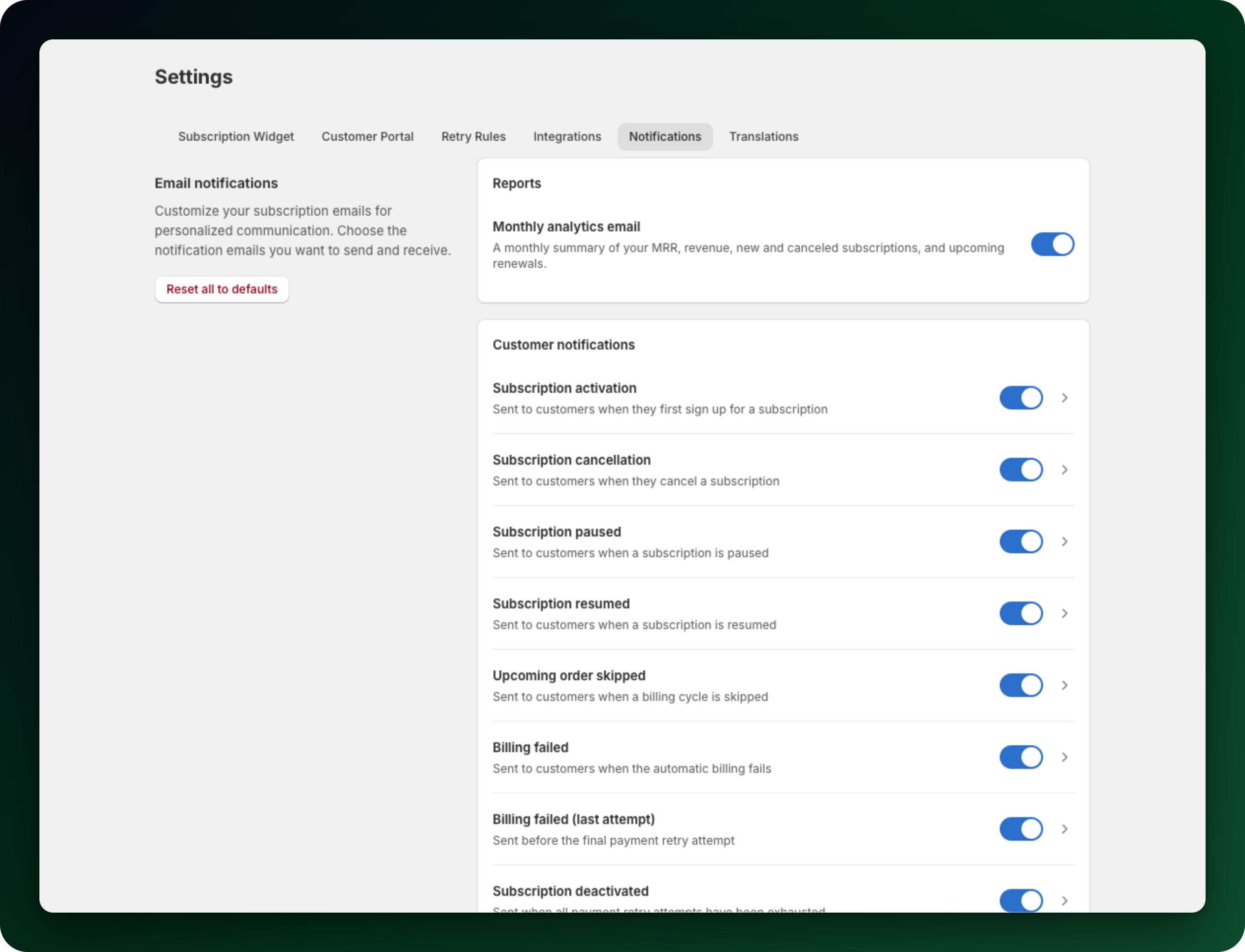
Each action the customer takes has its own email: Subscription paused, Subscription resumed, Upcoming order skipped and Subscription cancellation. An Upcoming order reminder goes out before the renewal too, once you turn it on.
When a renewal payment fails, the customer gets Billing failed, then Billing failed (last attempt) before the final retry, and Subscription deactivated once every retry is used up.
What you get told
The merchant card holds four templates: Subscription canceled (merchant), Payment failed (merchant), Billing blocked (merchant) and Inventory failure (merchant). All four reach your team under their own trigger. A monthly analytics email goes to you as well.
What to do next
Open Settings → Notifications to switch any of these emails off, or open one and edit its subject and content.
Not selling in English only? Settings → Translations and the widget translations cover what the customer reads.
Place a test order on your own store and walk the path yourself once. It is the fastest way to spot a label that does not fit your shop.
Stuck on any of this? Open the chat in the bottom right corner of the app and we will help you set it up.